Clover Casino Deposit Data: Tested Methods, Steps & Common Issues
We've used real money to carry out a Clover Casino deposit test, funding our account with £10 and a Visa debit card.
Below, we take you through the exact process we followed, detail the alternative payment methods we could have used and also look at some deposit challenges that might crop up as you dabble in the online casino industry.
 Clover Casino Payment Methods


- +-
- +-
Clover Casino Deposit Methods Compared
You have a good selection of payment methods to choose from when carrying out a Clover Casino deposit. Not only are there various types available, but you get brand choice in a lot of places too.
Debit card is the first available method, which covers off Visa and Mastercard, whilst Apple Pay is a nod in that direction too. You then have eWallets in the shape of PayPal, Neteller, Skrill and Skrill 1-Tap. If that's not enough, you can fund your account via Pay By Mobile and Paysafecard too.
Minimum deposits across the site sit at £10, which is fairly standard for the wider online casino industry.
| Payment Methods | Min Deposit | Max Deposit | Fees | Deposit Time | Triggers Bonus |
|---|---|---|---|---|---|
 Visa | £10 | Not specified | No feee | Instant | |
 Mastercard | £10 | Not specified | No fee | Instant | |
 Apple Pay | £10 | Not specified | No fee | Instant | |
 PayPal | £10 | Not specified | No fee | Instant | |
 Trustly | £10 | Not specified | No fee | Instant | |
 Skrill | £10 | Not specified | No fee | Instant | |
 Neteller | £10 | Not specified | No fee | Instant | |
 PaysafeCard | £10 | Not specified | No fee | Instant | |
 Pay By Mobile | £10 | Not specified | No fee | Instant |
Our Real Money Deposit Test with Visa

Our Clover Casino review highlights the collection of payment methods as one of the strongest parts of the site, whilst you've got a solid collection of nearly 2,500 games as well. We tested Clover Casino's deposit process firsthand via a Visa debit card, and we didn't face any issues during our test.
As part of our real money test at Clover, we also evaluated the withdrawal time and account verification process. Our Visa debit card payout was processed in 3 hours.
Clover Casino Deposit Process
We have outlined a step-by-step Clover Casino deposit process below, allowing you to follow guidance every step of the way:
-
Hit the '+' Sign
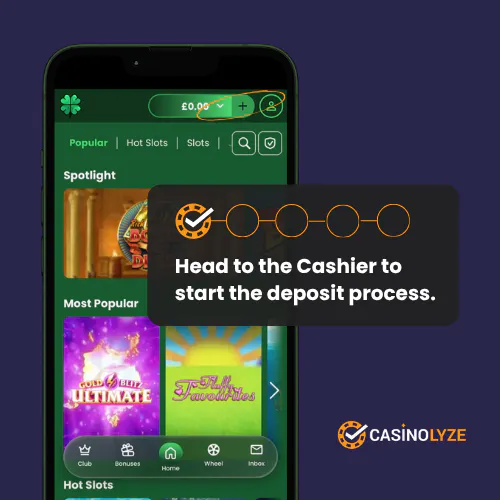
Ensuring you are logged into your Clover Casino account, there will be a '+' button in the site header. Click it.
-
Choose Your Payment Method
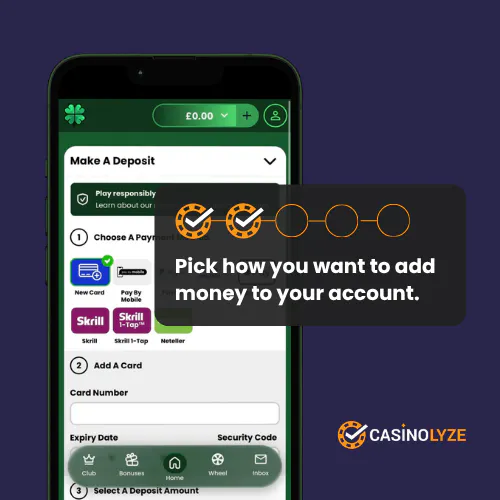
You will see numbered steps on the page. Step 1 tasks you with choosing your payment method, which you can do by clicking your preferred option.
-
Enter Your Payment Details
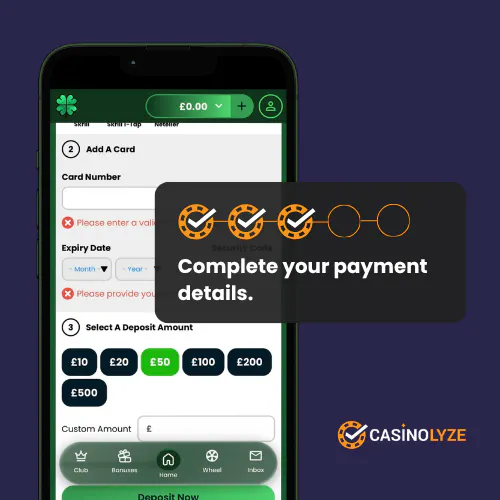
Under step 2, key in your relevant payment details.
-
Enter Your Deposit Amount
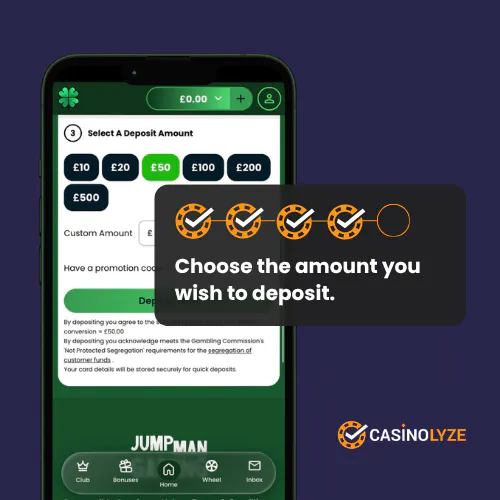
Now you are into step 3. Here, you can either key in a "Custom Amount" you wish to deposit or, alternatively, use one of the various value buttons to populate the field.
When done, hit "Deposit Now".
-
'Your Deposit Has Been Successful'
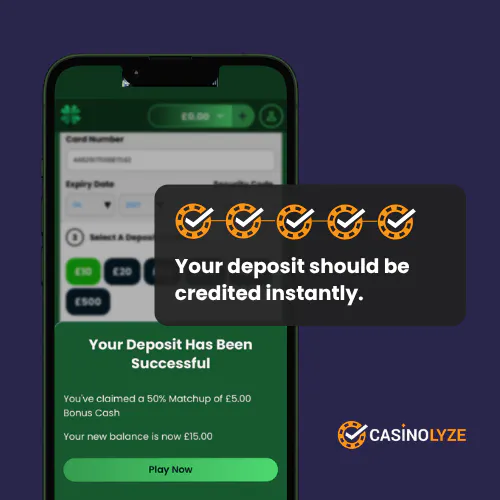
ou will now see a message confirming the success of your deposit.
Clover Casino Deposit Issues
Our Clover Casino deposit process was straightforward and pain free. The online casino industry does throw up deposit problems now and then, though.
We've captured some of the more common issues below:
-
Lost Deposits
A lost deposit is a payment you've sent from your chosen payment method not reaching your casino account. It means you've effectively "lost" your deposit.
Thankfully, it is recoverable. If you capture a screengrab from your payment method detailing the payment leaving your account, along with a reference number, you can then present this to the Clover Casino customer service team.
They'll use your details to validate that your account was never funded and, on confirmation, issue a refund. All told, this should take around a day.
-
Rejected Payments
A rejected payment is where someone refuses your deposit. This could be your bank, which only really occurs when you don't have sufficient funds in your account. Alternatively, it could be the casino itself. If it's the casino, it is almost guaranteed to be linked to your Responsible Gambling settings.
The resolution for both issues is easy to explain.
If you have a deposit limit blocking the deposit from the casino side, you can change the rules you have set. We don't suggest you do this lightly, though, because you would have likely set the rule for a reason. It's worth noting changes to relax Responsible Gambling settings usually take 24 hours to kick in.
Where your bank is blocking the deposit, you either need to try a different method of payment or, alternatively, add more money to your account.


Ash is a seasoned writer specialising in the UK's online gambling market. With a background in data analytics and hands-on knowledge of the gambling industry, he offers practical insights into online casinos in the UK.